Event Passport: How to Get Attendees to Every Sponsor Booth
Stamps, leads and prizes, set up in minutes
November 11, 2026
By The Confi Team
An event passport is a stamp card that sends conference attendees to every sponsor booth. Attendees collect a stamp at each booth by scanning a QR code or having their own QR code scanned, and win a prize for a full passport. Confi calls it Sponsor Passport, and it lives in the event app your attendees already use for the agenda.
What Is an Event Passport?
Digital event passport: an in-app stamp card that attendees fill by visiting sponsor or exhibitor booths, with each stamp collected by scanning a booth QR code or the attendee’s own QR code.
It is also called a booth passport, exhibitor passport or vendor passport. Sponsors pay to meet attendees, but foot traffic piles up at the coffee and the first booths by the door. Of all the trade show games and booth games, a passport is the one that sends people to every booth.
How a Booth Passport Works in the Confi App
The passport peeks up from the bottom of the Sponsors page with the attendee’s stamp count. A tap opens it like a real passport.
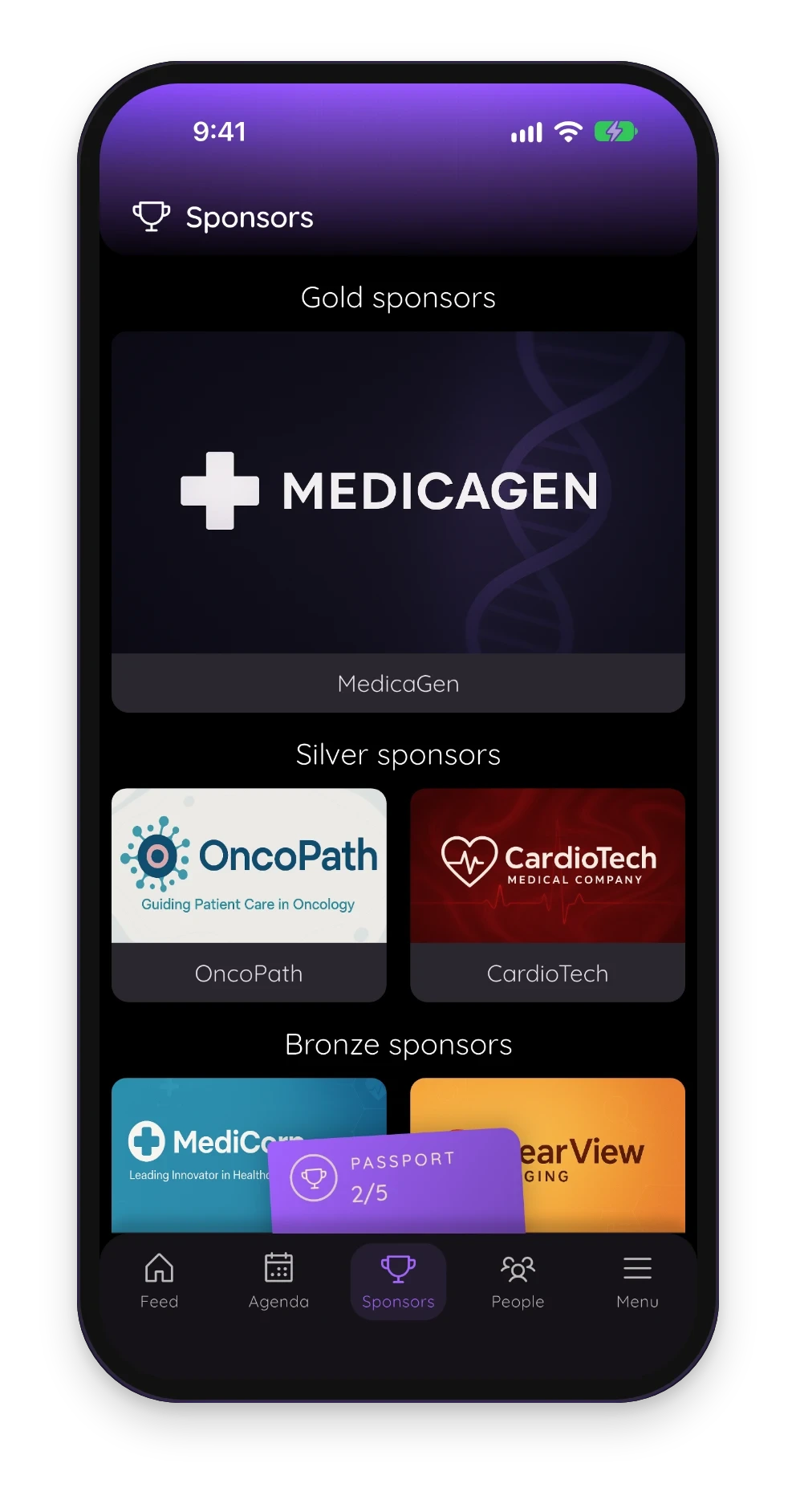
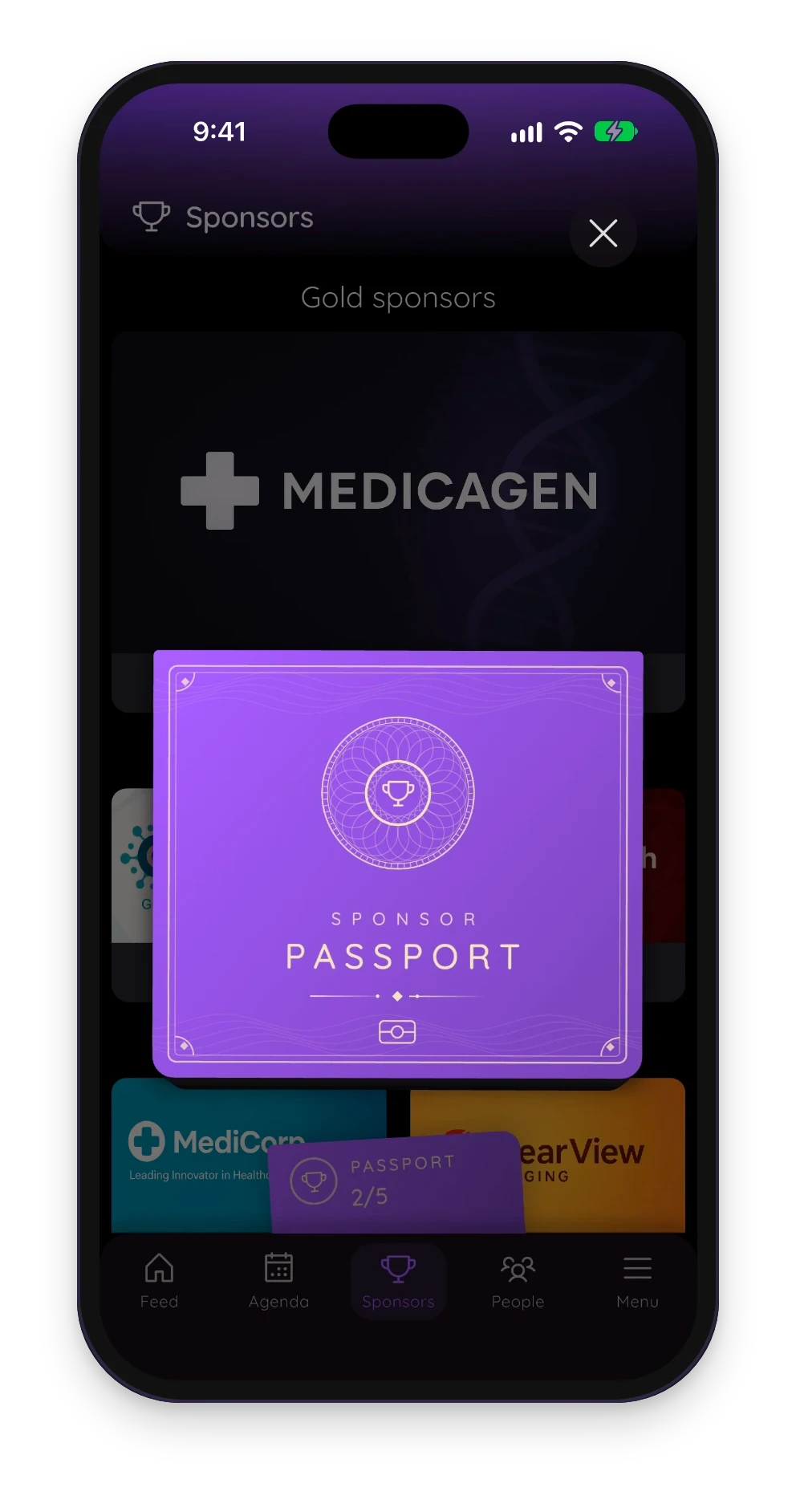
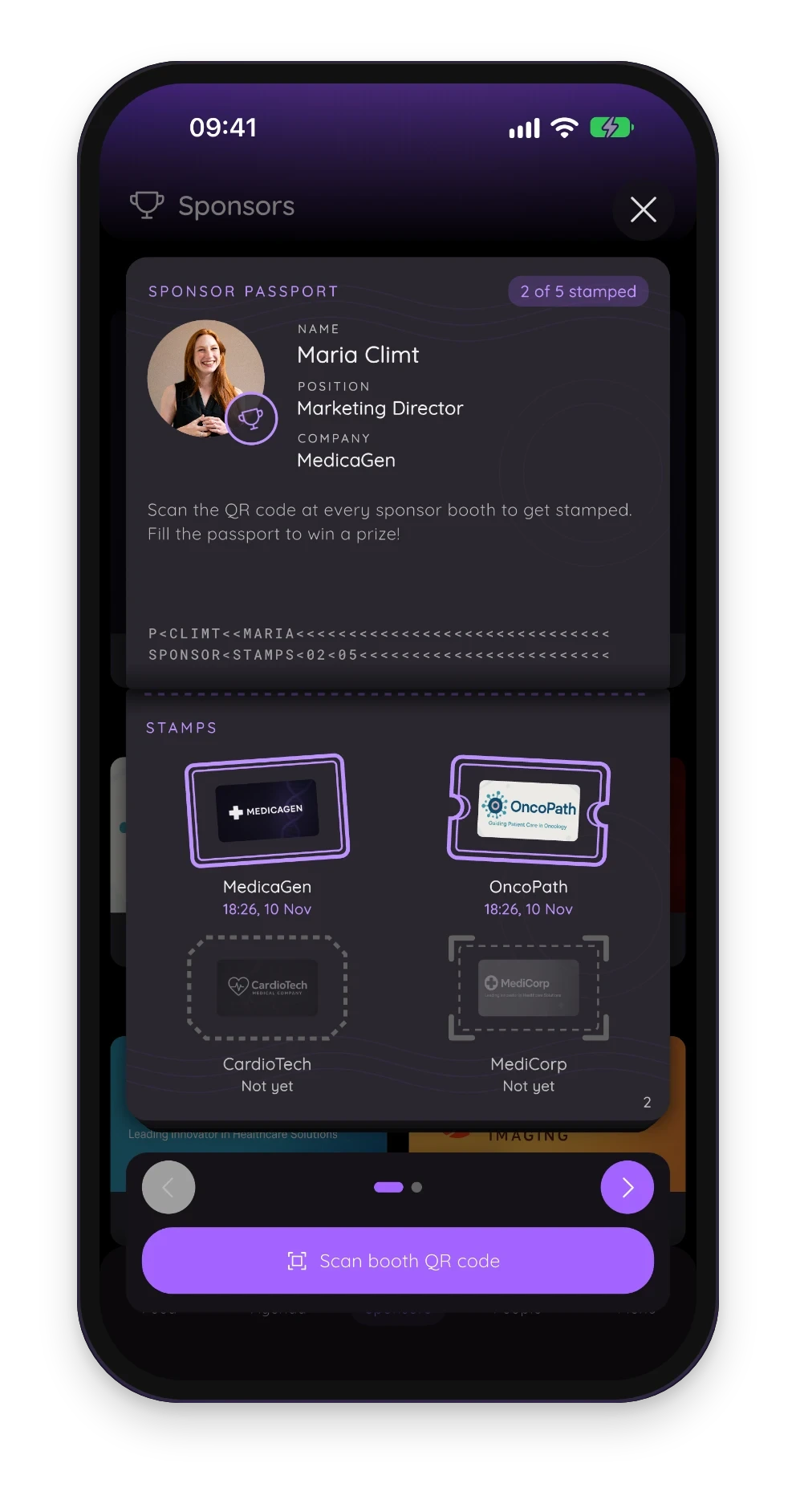
Each booth an attendee visits adds a stamp with that sponsor’s logo, and a full passport tells the attendee to collect their prize from you. Attendees sign in to collect stamps, so every stamp belongs to a real attendee in your event app.
Two Ways to Collect Stamps
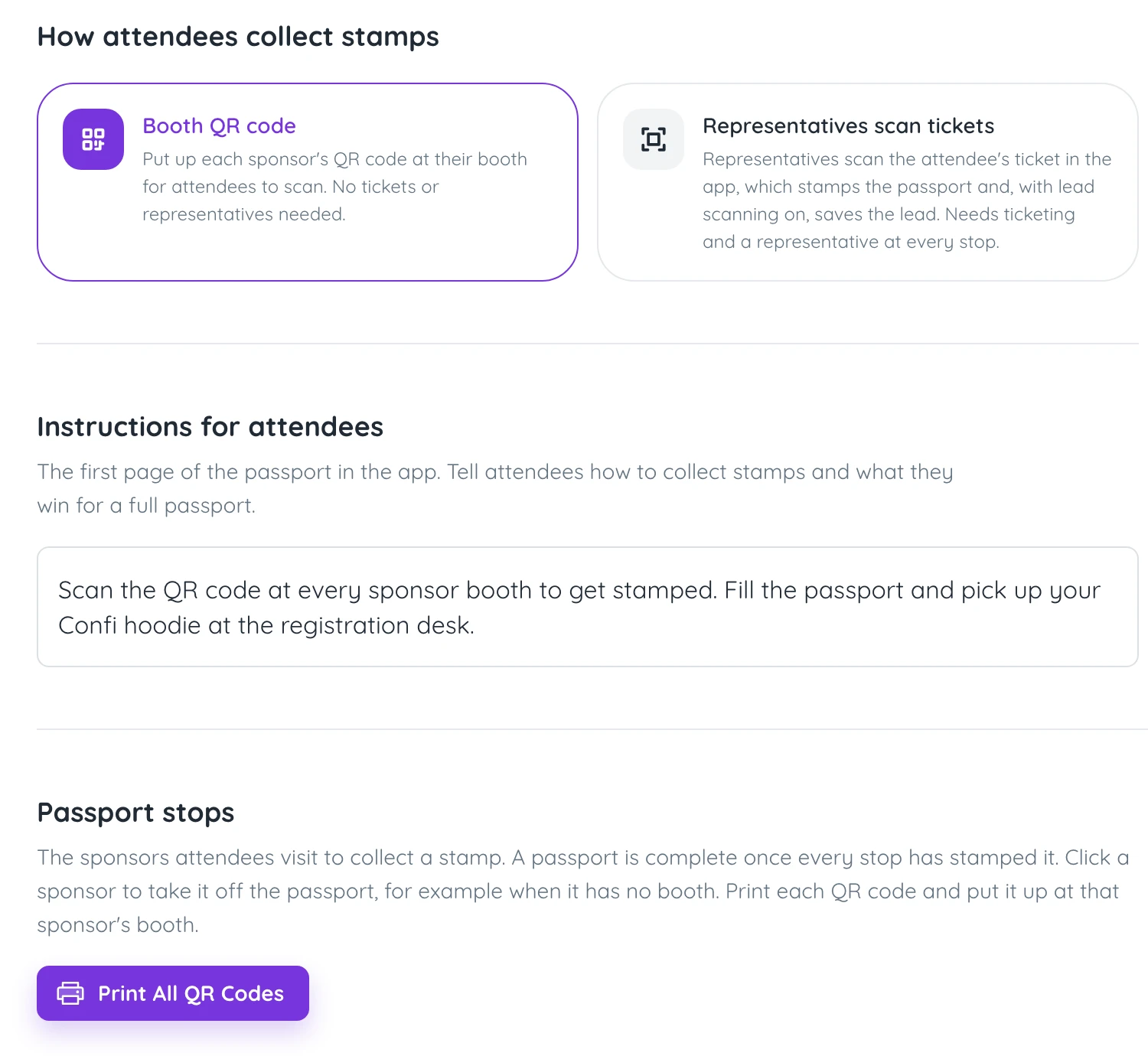
Booth QR codes
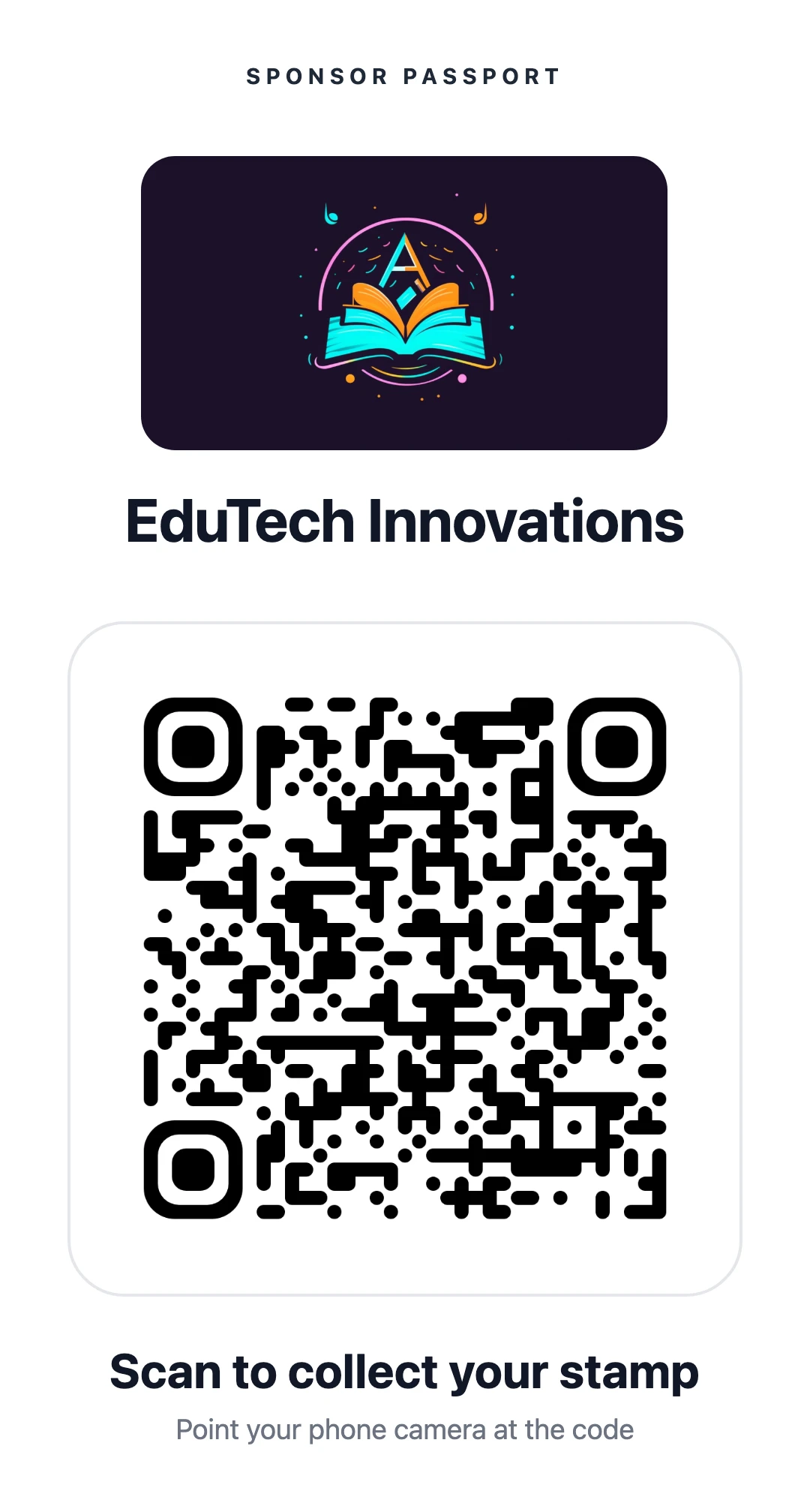
Print each sponsor’s QR poster from the admin portal and put it up at the booth. Attendees scan it in the app or with their phone camera. No booth staff needed.
Representatives scan attendees
The sponsor’s representative scans the QR code in the attendee’s app, the same way they scan leads at the booth. That one scan stamps the passport and, with lead scanning on, saves the lead. Every attendee in the app has a QR code, whether or not you uploaded a guest list, so all it needs is a representative at every booth.
Which one to pick: booth QR codes reach the most attendees with the least setup. Representative scans suit sponsors who care most about leads.
How to Set Up a Sponsor Passport in Confi
Turn it on. Under Sponsors, open the Sponsor passport card and switch on Show the passport in the app.
Choose how stamps are collected in the Settings tab: Booth QR code or Representatives scan attendees.
Write the instructions, the first page of the passport. Say what the prize is and where to collect it.
Choose the stops. Every sponsor is a stop until you click it off under Passport stops.
Print the QR codes with Print all QR codes, or, for representative scans, add representatives to each sponsor. The portal flags any stop without one.
The assistant in the admin portal can do all of this for you too.
Planning an event with sponsors? We can set up the passport with you.
Book a DemoHanding Out Prizes from the Leaderboard
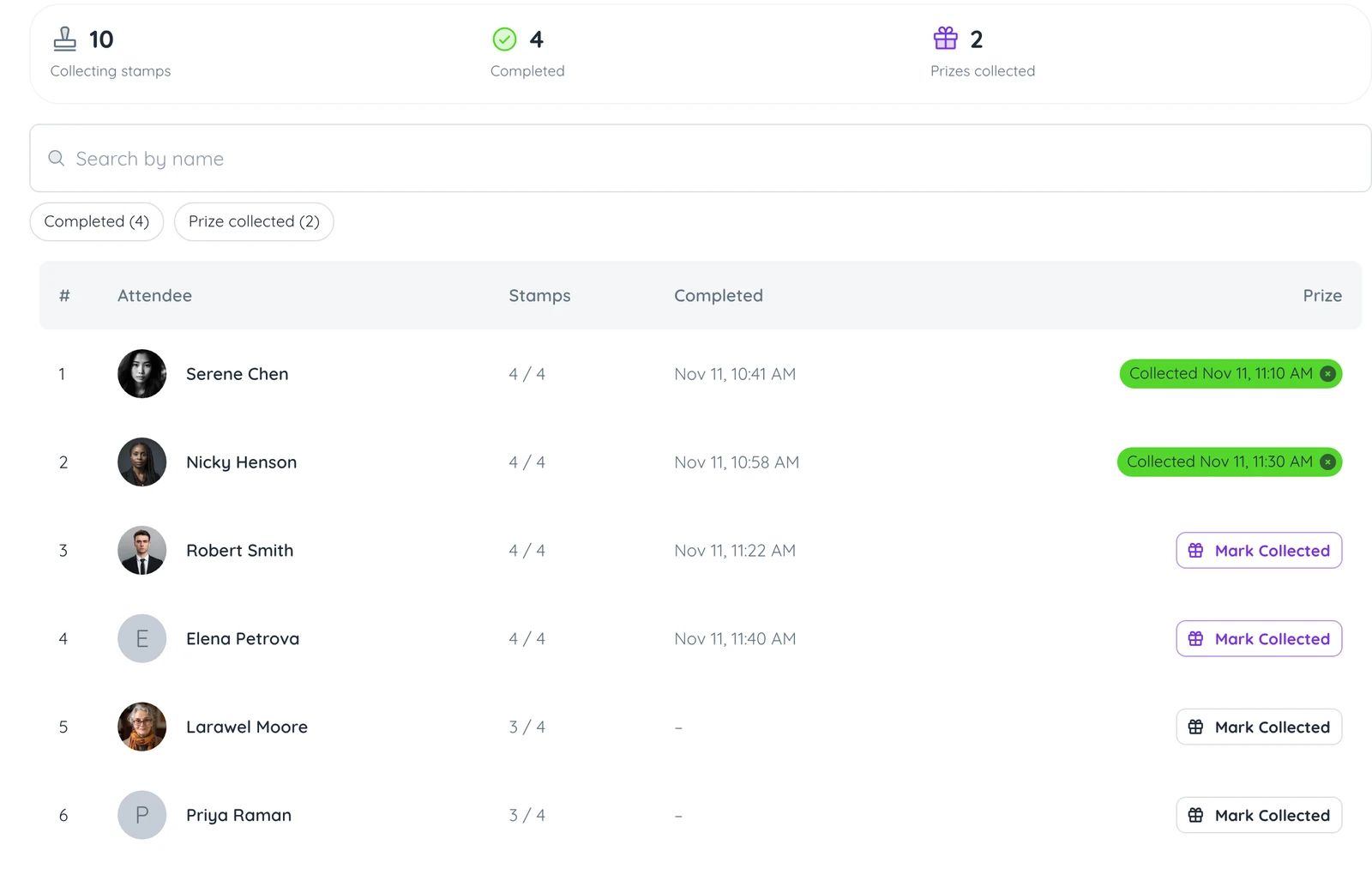
The Leaderboard tab ranks attendees by stamps, with whoever finished first on top. When someone reaches the prize desk, click Mark Collected so nobody claims twice. You can also hand out a prize before a passport is full; the portal just asks you to confirm.
Event Passport Ideas That Get Attendees to the Last Booth
Name the prize in the instructions. “Win a ticket to next year” is a better reason to reach the last booth than “win a prize”.
Announce it at the first long break with a push notification, or a sponsored push alert from one of the booths.
Put the prize desk at the far end of the hall, so the walk there passes a few more booths.
What Sponsors Get from an Event Passport
Sponsors get visits to their booth, which is what they pay for. As a sponsor activation, it is one you can promise to every sponsor, from the headline partner to the smallest table. With representative scans, every stamp is also a lead they can export after the event. Add a passport stop to each tier of your event sponsorship packages.
Frequently Asked Questions
What is an event passport?
An event passport is a stamp card that sends attendees to every sponsor or exhibitor booth at a conference or trade show. Attendees collect a stamp at each booth and win a prize once the passport is full.
How does a trade show passport work?
A trade show passport lists the booths taking part, and attendees get a stamp at each one. In Confi, the stamp comes from scanning a QR code at the booth or from a sponsor representative scanning the attendee’s QR code in the app, which also saves the attendee as a lead.
How do I get attendees to visit every exhibitor?
Organizers get attendees to visit every exhibitor by running an event passport with a prize for a full passport. Naming the prize in the passport instructions and announcing it at the first break both help.
Do attendees need an app for a digital event passport?
Some digital event passports run in a phone browser and others need an app. The Confi event passport lives inside the Confi event app that attendees already use for the agenda, so there is no separate app to install.
What prizes work for an event passport?
Event passport prizes work best when attendees can collect them on the day, such as event merchandise, a sponsor-donated gadget or a ticket to next year’s event. Write the prize into the passport instructions so attendees know what they are playing for.
Ready to send attendees to every sponsor booth?
Book a Demo
© 2025. All rights reserved